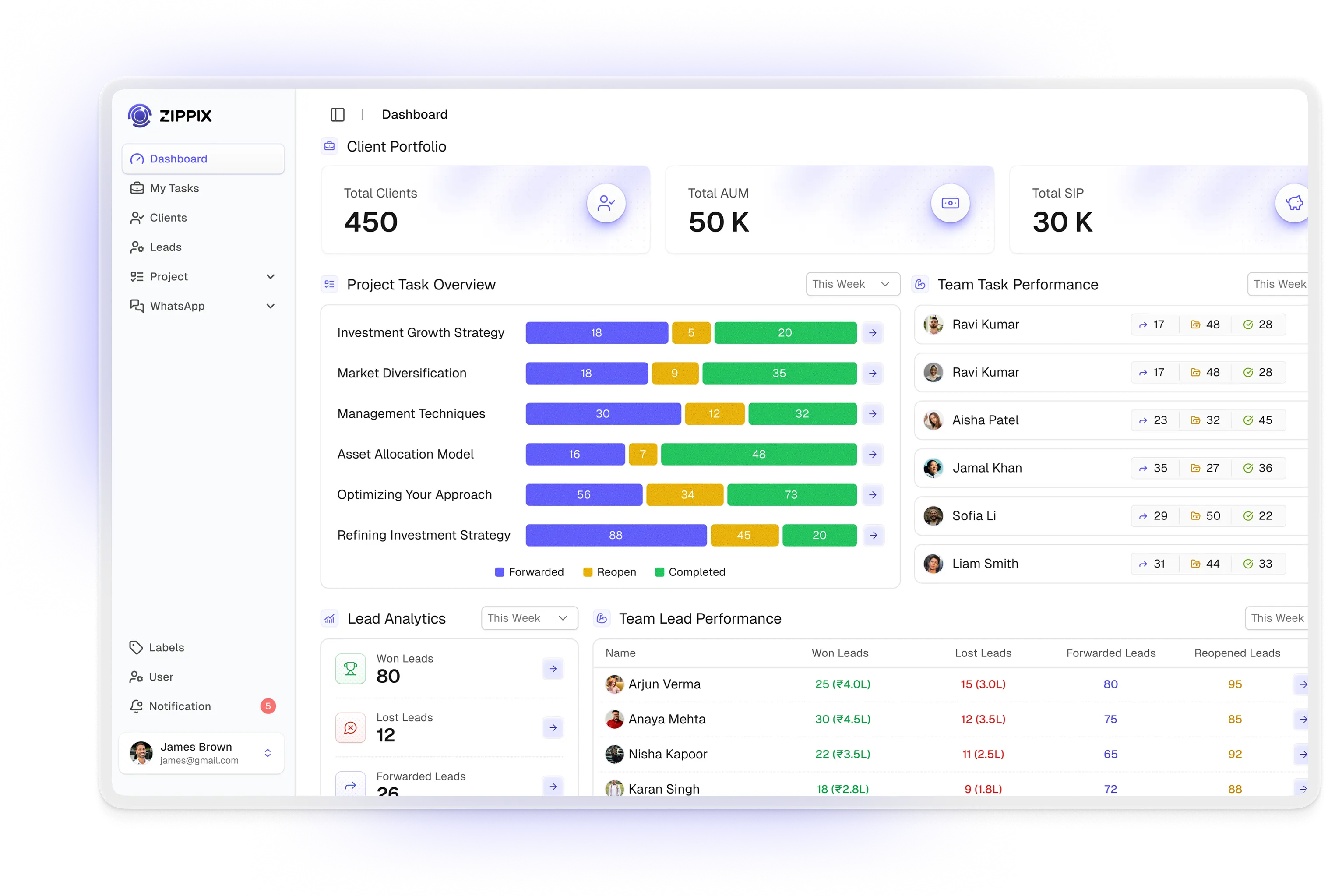
Dashboard Image
The Complete Financial Client Management Platform

Manage client relationships, track portfolios, and grow your practice with our all-in-one solution for wealth management.

Why Choose Zippix?

Build trust with concise, benefit-focused points

All Client Data in One Place

Manage clients, family members, finances, banking and demat details in one secure place.

All client data workflow illustration

Lead & Project Tracking

Track leads, manage tasks, and monitor project progress easily.
Lead and project tracking board

WhatsApp Integration

Chat with clients, send templates, and run campaigns directly.
WhatsApp messaging and campaign integration

Everything You Need to Manage Clients, Projects & Communication

Switch between focus areas to see how Zippix covers analytics, relationships, delivery, messaging, and governance in one product.

Dashboard

Analytics widgets preview (client portfolio value, project status pie chart, lead funnel, team workload heatmap).
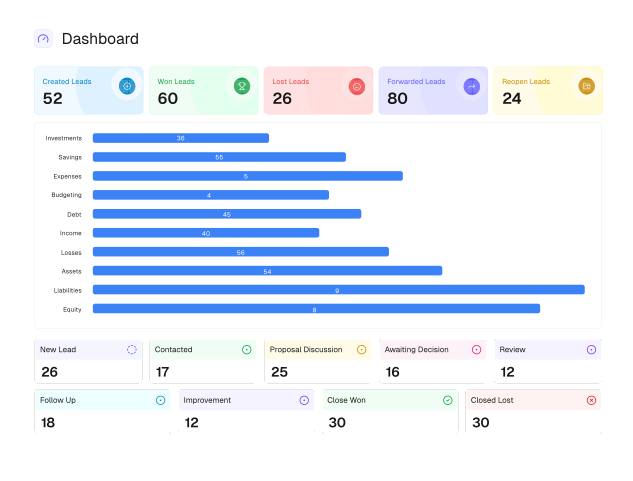
Dashboard preview with lead metrics, category breakdown bars, and pipeline status cards.

Leads & Clients

Screenshot/mockup of detailed profile (financial summary, family tree, banking/demat fields) + advanced filters.
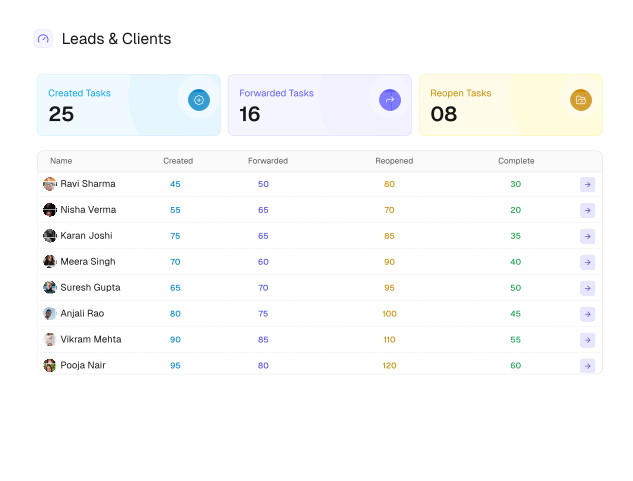
Leads and clients workspace preview.

Projects & Tasks

Kanban board and list view side by side; task card with description, attachments, and history.
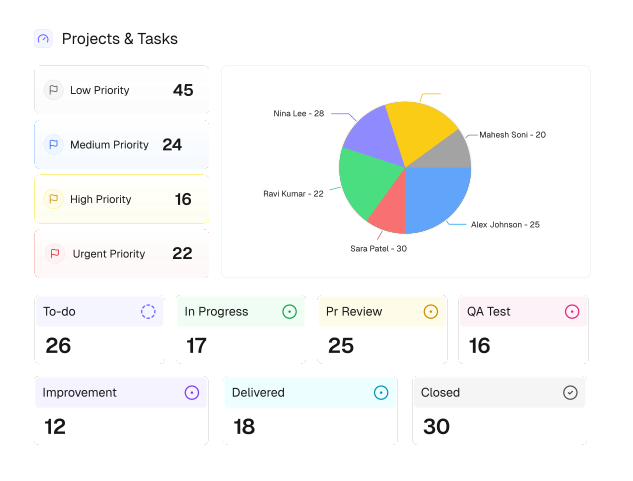
Projects and tasks workspace preview.

WhatsApp Tools

Chat interface preview, campaign builder, template gallery, and live feed table.
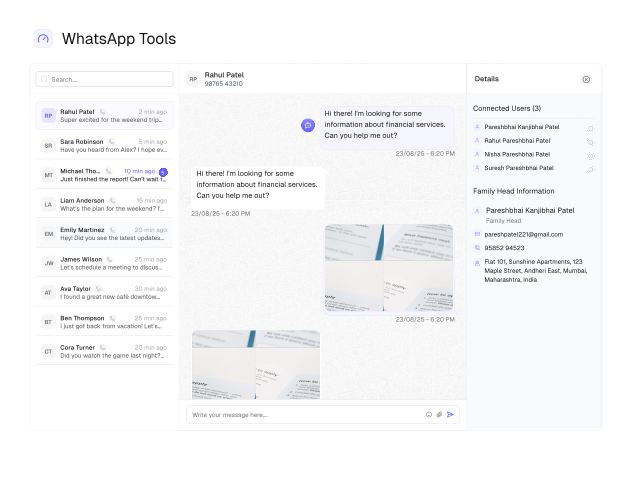
WhatsApp tools workspace preview.

Team & Control

User and role management, label creator, and notification center.
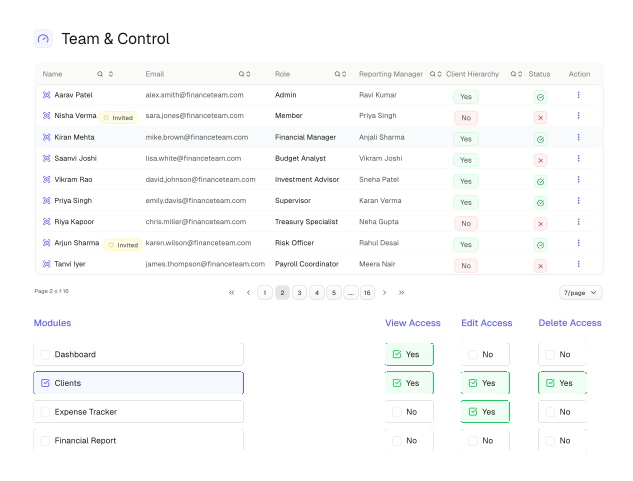
Team and control workspace preview.

Get Started in Minutes, See Results Fast

Connect your channels, organise work with your team, and measure outcomes from one workspace.

Connect & Import

Connect WhatsApp for personal client interactions and import financial data for smoother transactions.

Organize & Collaborate

Start projects by assigning tasks and inviting team members for better collaboration.

Communicate & Track

Chat with your team, run campaigns, and track progress on the dashboard for optimised strategies.

Analyse & Grow

Analyse data, create reports, and streamline workflows to better meet client needs.

Frequently Asked Questions

What you need to know about using Zippix.

What exactly is Zippix and who is it built for?
Zippix is a financial client management platform built specifically for financial advisory firms. It brings client information, lead pipelines, project workflows, team management, WhatsApp communication, and analytics into a single unified workspace replacing the scattered tools most advisory teams rely on today.
Is Zippix only for large advisory firms?
Not at all. Zippix is designed to scale with your firm whether you're a solo advisor managing 50 clients or a multi-team firm managing 500+. Add team members, create new projects, and expand your pipeline without ever outgrowing the system.
Does Zippix replace my existing tools or work alongside them?
Zippix is designed to replace the fragmented stack most advisory firms use spreadsheets for clients, separate apps for tasks, personal phones for WhatsApp, and manual reports for performance. Everything those tools do separately, Zippix does together in one connected platform.
What modules are included in Zippix?
The platform typically includes client profiles and activity, lead pipeline, projects and tasks, team access, WhatsApp messaging, goals, campaigns, and reporting. Exact availability can depend on your plan.
Can I manage multiple WhatsApp numbers inside Zippix?
Yes. Zippix supports multiple connected WhatsApp Business numbers from a single admin workspace. Each number has its own chat inbox, campaign history, template library, and live feed all accessible in one place without switching between accounts or devices.
How does family tracking work in the client module?
Each client can be linked to a Family Head the primary relationship your firm holds with a household. Once linked, advisors see all family members together, the household's combined AUM and SIP values, and can navigate between individual profiles in one click. Every family member keeps their own complete, independent client record.
Can I create sub-tasks inside a project task?
Yes. Every task in the Project Task Workflow module can hold multiple sub-tasks each with its own assignee, priority, start date, end date, and status. Sub-tasks track independently through to completion, making it easy to manage complex, multi-step client deliverables without losing any detail in the process.
How long does it take to get my team up and running on Zippix?
Most firms are fully set up within a single day. Create your workspace, invite your team, configure roles and permissions, and add your first clients all without any technical setup or IT involvement. Zippix is designed to be configured by the people who actually use it.
Can I import my existing client data into Zippix?
Yes. Zippix supports structured client data import via a formatted spreadsheet. Your existing client records names, contact details, and portfolio information map directly into Zippix's client profiles. Contact our team via WhatsApp and we'll provide the import template and guide you through the process step by step.